Build menu
Everything you place on the map comes from the build bar at the bottom left. This page walks through each tab, what unlocks when, and who comes to fit what you order.
The tabs, in order: Build, Staff, Zones, Templates, Objects, Roads, Utilities, Tools, Deploy. Names below are the English catalog labels.
What you can build first
At the start most of the catalog is locked. Your first job is a road that reaches a map edge, because nearly everything else waits for it.
- Most tools and hiring stay locked until a road you placed still touches a map-edge town connection. The blocked hint is "Build a road from the edge first".
- A road stroke may start anywhere, including a stretch that does not touch a road you already painted. Reaching a map edge and confirming that town is what connects it.
- Allowed before that connection: Road, demolish tools, Eyedropper, Clone, Erase Zone, Remove Utility, Work Priority, Unit Paint, Route Floor Tape, the outdoor yard zones (loading bay, parking, storage, business bulk, smoke area, truck parking), and the Deploy tools.
- Structure also needs a loading dock that is already placed.
- Some machines stay locked until you clear a deal under Operations: Deals. The Auto Postage Machine is one of them.
- Story mode uses the same gates. It adds tutorial highlights. It does not replace the road or dock rules.
- Click a grayed-out build or hire tile for a short notice that says why it is locked: the road, the loading dock, or the deal that unlocks it.
Search looks inside the open tab. When nothing matches, the panel reads "No match in this tab."
One-click object tools drop the selection after a single place. Hold Shift to keep the tool and place several. The default Rotate the build ghost key is R. Change it under Settings: Controls. T is fixed: It mirrors a template or flips a swing door. Ctrl+Z undoes the last build stroke. Full keys are on Keybindings.
Some orders happen at once and some wait for a crew. Structure, roof, doors, windows, uninstall, and template fit-out become crew jobs (a blueprint, then a build). Zone paint, roads, and most clicks land immediately. Painted cables and pipes can show as planned until someone fits them. Live power and water wait until that job finishes, so a room can look done before its lights or taps work.
Who shows up to build
Crew jobs are fitted by a worker who walks over and does the job. The city crew has three trades. A worker only claims their own trade. Nameplates read Builder, Electrician, or Plumber.
- Builders fit floors, walls, roofs, Air Ducts, Vents, and other work that is not a utility trade. If you have Maintenance on duty, those hires own ordinary floors, walls, doors, and props. City builders then keep roads, tree cuts, and lot asphalt.
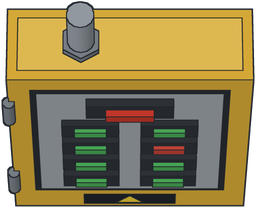
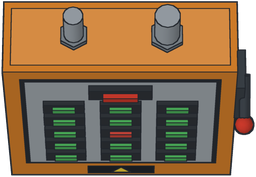
- Electricians fit power cables, power connections, lights, fuseboxes, Window AC Units, Space Heaters, box fans, HVAC Central Units, and street lamps. They keep those jobs even when Maintenance is on duty.
- Plumbers fit cold water, hot water, and sewer pipes, the town water and sewage connections, toilets, and sinks. They keep those jobs even when Maintenance is on duty.
A water boiler and a water main are not on the plumber object list, so that object job goes to a builder. Zero jobs of a trade sends nobody. One through eight jobs send one worker per job. More than eight jobs of one trade assign at least eight workers of that trade.
A separate crew-staging flow (runners pulling stock to a wait stand) is off, so it is not how a normal facility builds. In progress
When a crew cannot reach the work
A job that sits unbuilt usually says why. Hover the blueprint and read its line.
No path to the work
When a construction crew or a city install crew cannot walk to the work tile, that job is open again. Hover the blueprint or the pending piece and the line reads "Blocked: No path to the work tile". The same line shows on the builder who gave it up. A door or a window does not show that line. The crew keeps trying the approach instead. If you see this line, open a way for the crew to walk to that tile.
The crew member who could not get there waits 45 seconds of game time before taking that job again. Pause holds the wait. Anyone else, including the rest of that crew, can take it right away. The line stays for 60 seconds. If the job is already waiting on something else, such as materials, that wait stays in place of this line.
Waiting for a connection
You can order power and water pieces before the supply reaches them. A Fusebox, a Heavy Fusebox, a Water Main, a Water Boiler, or circuit power cable that does not yet touch its fusebox can still be ordered. The ghost turns amber and reads "Waiting for a power connection" or "Waiting for a water connection". Hover the blueprint and the line reads "Blocked: Waiting for power connection" or "Blocked: Waiting for water connection". Nobody claims that job until the connection is planned or built.
Circuit cable releases when built or planned cable of that circuit chains back to its fusebox. A planned stretch that does not chain back does not count, and planned cable does not feed power. A Fusebox or Heavy Fusebox releases when mains are on or next to it: live mains, a built mains cable, or a planned Power Connection or mains cable that chains from a Power Connection. A Water Main or Water Boiler releases when a water pipe or a Water Connection is built or planned on or next to it. That planned pipe does not have to reach the town connection.
Power Connection, Water Connection, Sewage Connection, water pipe, hot water pipe, and sewer pipe do not use this wait. A bad site, a full circuit, or a circuit stroke with no fusebox selected still turns the ghost red. With no fusebox selected the line is "Select a fusebox before painting a circuit". If you cannot pay, the ghost stays red and the waiting line is not shown.
Build
The Build tab holds the shell of your facility: structure, walls, roofs, doors, windows and floors, plus the Loading Dock. The tools sit in a fixed order, not alphabetical. The Type / Style strip picks wall packs, floor packs (carpet, sidewalk, concrete, stone), door family, and window width.
| Tool | What it does |
|---|---|
| Structure | Foundation footprint. Needs a loading dock. You pay, then the crew builds it. A structure contract roofs itself after the floor. The bare slab floor style adds no floor cost. Walls and crew are still charged. |
| Demolish | Marks walls and floors for the crew. Stations, doors, windows, and other placed objects stay until a worker finishes the uninstall. Carts leave on the click. Zones and roads clear on the click, except an indoor zone waits while its floor teardown is still queued, and Loading Bay paint on a dock pad stays. Cables, pipes, and town connections are left alone. Use Remove Utility for those. A mail container on the tile is removed unless it is reserved or nested in a cage. |
| Wall | Solid walls. People need a door to pass. Dragging over a wall of another material replaces it in place: the wall stays standing, and rooms, doors, windows, and objects stay. Walls already in that material are skipped and cost nothing. Replace tiles show a blue-green repaint tint, not the red demolish wash. |
| Demolish Walls | Marks walls only. Floors, zones, doors, windows, roads, and equipment stay. |
| Roof | Orders a roof over interior floor. A ghost shows the plan until the crew fits it. |
| Unroof | Marks a built roof for removal. The tiles stay open to weather afterward. |
| Door | One Door tool. Type / Style picks Standard swing, Staff-only, Secure cage, or Sliding glass, plus Single (1 tile) or Double (2 tiles), and Opens inward or Opens outward. T flips the swing. The default Rotate the build ghost key (R) turns the door in the wall. While you place it, a hinged ghost draws a swing arc, one arc for each leaf on a double door. Sliding glass draws arrows along the wall. A swing door claims the tile beside it. Sliding glass does not. A door cannot sit on a window. See Ghosts. Sliding glass on a restroom is on Restroom privacy. Maintenance fits the door. Hold Ctrl and click to queue an uninstall. |
| Window | Glass in a wall. Wide (2 tiles) is the 2 m window, and both tiles have to be clear. A window cannot sit on a door or another window. See Placement guides. A window on a restroom is on Restroom privacy. |
| Floor (Tile) | Carpet stays inside a structure. Stone, sidewalk, and concrete may go on open ground. Bare slab and open ground take a tile. A planned tile has to finish or be canceled first. A finished tile of another material is replaced in place: objects and the room stay, and tiles already in that material are skipped and cost nothing. Ordering tiles does not cancel lights, fuseboxes, cables, pipes, taps, or a pending uninstall on those cells. A pending wall order on the cell is still replaced. |
| Loading Dock | Dock the trucks use. It must touch a road. Also listed under Objects. If the tool is selected and no tile can take a dock, a notice titled "Loading Dock" names why. See Placement guides. |
Staff
The Staff tab is where you hire and fire. Hiring opens a negotiation window (union or contractor, shift, and duty are chosen there, not as extra build buttons). Hiring is road-gated like most of the catalog.
- Clerk, Carrier, Hire Manager (Clerk Manager, Carrier Manager, or Facilities Manager), Postmaster, Janitor, Maintenance.
- Fire Staff: click someone to dismiss them.
Union bosses are not hire buttons. See Staff and traits.
Zones
Zones tell your staff what a space is for. You paint a zone, then place the objects it needs. The Zones tab holds the zone brushes. Ctrl while painting one zone type erases that type. Erase Zone clears any zone paint and leaves floors, walls, and objects. Delete on a selected zone also clears it. Truck Parking Zone is a Type / Style variant of Parking Zone, not its own chip.
To see what a zone still needs, click it with no tool armed. The first click opens Objects. If the zone is still missing catalog objects, the list scrolls to the first one and every missing object pulses green. Nothing is armed until you pick a row. An empty Smoke Area scrolls to Ash Tray. A zone that already has its objects still opens Objects and sorts that room's pieces first, with no pulse. A need that is not a catalog object, such as restroom privacy, is not pulsed. See Placement guides.
| Zone | What it is for |
|---|---|
| Erase Zone | Clear painted zones. |
| Sorting Floor Zone | Where clerks sort. |
| Break Room Zone | Fatigue, hunger, and stress. Not for smoking. |
| Restroom Zone | Toilets and sinks, and only inside a closed room. Grass and open paving refuse the paint. The preview turns red and reads "A Restroom has to be inside a closed room with walls and a roof." A drag that includes any outdoor tile is refused whole. Stone paving inside walls counts once it is under a roof. Other zone brushes are unchanged. A toilet still needs a private stall. See Placement guides and Restroom privacy. |
| Janitor Closet Zone | Where janitors fill a mop bucket so they clean faster. It needs a floor under it, not grass, and a Sink. See Janitor Closet. |
| Loading Bay Zone | Clerk and mail floor. A dock can auto-paint bay. |
| Storage Zone | Pad for uninstalled equipment. A 2 by 2 square is enough. Indoor or outdoor. |
| Customer Service Zone | Counters and the lobby queue. |
| Passport Station Zone | Where families apply for passports. Needs a Passport Counter, a Camera Tripod and a Chair, and floor under it. See Passports. |
| Distribution Floor Zone | Carrier Cases and outbound. |
| Box Mail Pickup Zone | Paint this, then place a Private Box Wall. Each wall rents 20 named boxes. See Private boxes. |
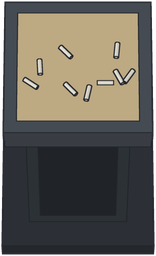
| Smoke Area Zone | The only place smokers go. Put ash trays here. |
| Secure Mail Cage Zone | Valuables, with key storage. |
| Parking Zone | Must touch a road. Styles: generic, employee, customer, and truck. |
| Business Bulk Bay | Outdoor business bulk intake. |
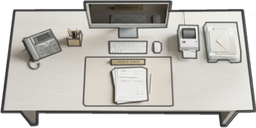
| Office Zone | One office. Desk, office chair, and filing cabinet. The first eligible manager, postmaster, or union boss to claim it wins. Deals do not need this zone. A hired Postmaster plus those three pieces anywhere is enough for Deals and for the Postmaster Office contract. |
Templates
Templates save you placing a common room piece by piece. Click to stamp a room: zone plus furniture. R rotates the footprint. T mirrors it. The crew may still have to build structure on bare grass, and you still connect pipes and power yourself.
- Restroom, Break Room, Smoke Area, Sorting Floor, Distribution Floor, Loading Bay, Customer Service, Box Mail Pickup, Parking, Secure Mail Cage, Business Bulk Bay, Office.
Objects
Objects are what stands on the floor: the stations your clerks work at, infrastructure such as docks and dumpsters, the containers and the furniture. Uninstall Object is pinned at the top. It queues maintenance. The piece stays until the crew finishes. Pending installs cancel with a refund. The grid groups into Stations, Infrastructure, Containers, and Furniture. Selecting a room sorts the pieces that belong in that room first.
Stations
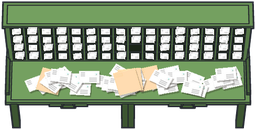
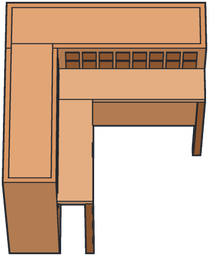
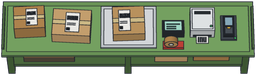
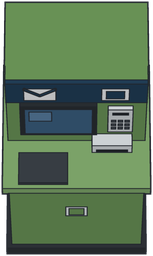
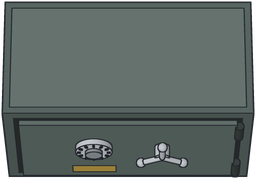
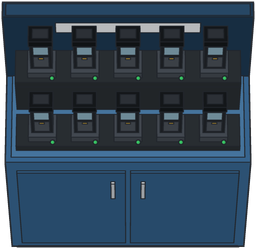
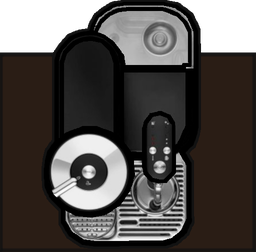
Sorting Station, Carrier Case, Package Sorting Station, Service Counter, Business Bulk Ledger, Cage Window, Auto Postage Machine (deal-gated), Outgoing Mail Bin, Stamp Safe, High-Volume Sorter, Scanner Bay, X-Ray Machine.
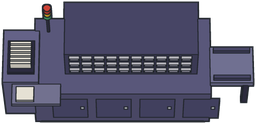
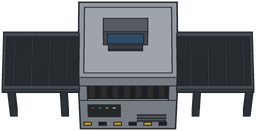
The Distribution Center stage
The High-Volume Sorter, the Conveyor and the X-Ray Machine are late game. They stay locked until the Distribution Center stage. The Conveyor unlocks together with the sorter and shows the same reason while it is locked.
In Sandbox and in the campaign's Scale Up mission, HQ has to authorize it first, and that takes a streak of good days. Campaign missions before Scale Up keep all three locked, and missions after it keep the sorter and the Conveyor open. HQ wants all four towns connected and 7 good days in a row. A good day has every town at a Service Score of 80% or higher, Government at 80% or higher, and no failed audit. Sundays and the first days of a round do not count either way. A bad day or a failed audit starts the count over. When the count is reached a notice titled "Distribution Center authorized" appears, and the go-ahead stays for the rest of the round.
In Sandbox the sorter and the Conveyor also need 36 Sorting Floor tiles and 4 Sorting Stations. Hover the locked tile and it lists what is still missing, such as "2 more towns connected" or "5 more good days in a row for HQ". The X-Ray Machine unlocks once the facility is a Distribution Center, which takes a High-Volume Sorter and a Distribution Floor.
Business Bulk Ledger costs $500.00. Place it in a Customer Service zone. One per facility. A second one is refused. The notice is titled "Business Bulk Ledger" and reads "Only one Business Bulk Ledger fits in a facility." The row is hidden while Sandbox has bulk contracts turned off, and it is hidden in Tutorial Facility and Open for Business. See Bulk contracts.
Passports have a station of their own. Paint a Passport Station Zone and place a Passport Counter, a Camera Tripod and a Chair in it. Other chairs and benches in the zone are where families wait. See Passports.
A Cage Window goes in a wall of an enclosed room. The clerk side faces the room. The carrier side has to be walkable and clear. A second window in that room is allowed. The premade Secure Mail Cage stamp places its window without those side checks. See Security and Placement guides.
Most objects turn with the default Rotate the build ghost key (R). That covers the Stamp Safe, Scanner Bay, Private Box Wall, Auto Postage Machine, High-Volume Sorter, X-Ray Machine, Key Storage, Window AC Unit, Space Heater, box fan, chairs, benches, filing cabinets, the time clock, coffee stations, trash cans, ash trays, and the Canvas hamper, Tray cart, and Shelf cart. A pushed cart faces the way its worker walks. A Bus Stop does not turn with R. It turns to face the road it sits beside. Tubs, trays, roll cages, and pallets do not turn. While you place one, the ghost draws a facing arrow and highlights the tile in front where staff stand to use it. See Ghosts.
Each Scanner Bay holds 10 scanners and needs power. A bay with no power hands out none and shows red lights. Clerks hand theirs back at clock-out. The stock line and who is carrying one are on Handheld scanners.
Manual desks (sorting station, carrier case, package sorting, service counter, cage window) do not need power, so your clerks can sort before your power is in. Lights still help them work. The high-volume sorter, X-ray, and auto postage machine do need power. See Utilities.
Infrastructure
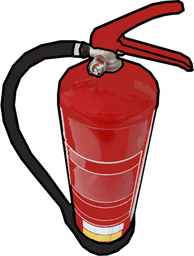
Loading Dock, parking spaces (Customer, Employee, Postal Truck, Big Rig), Fleet Garage, Bus Stop, Recycling Dumpster, Garbage Dumpster, Key Storage, Private Box Wall, Street Lamp. Fusebox, Heavy Fusebox, Light, Window AC Unit, Space Heater, Box Fan, HVAC Central Unit, and Vent are classified here and are placed from the Utilities tab. Fire Extinguisher is in this group too.
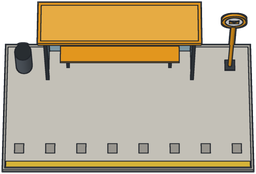

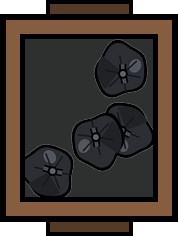
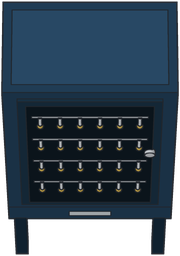
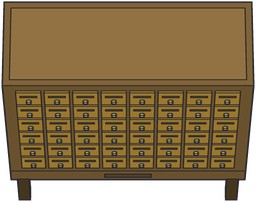

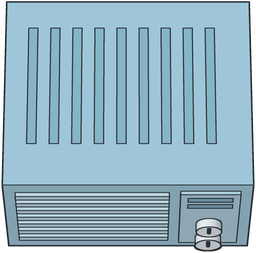
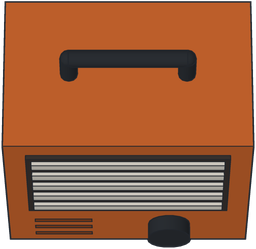
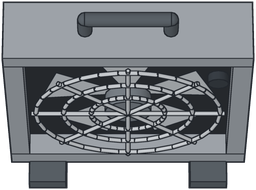
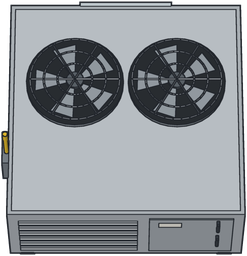
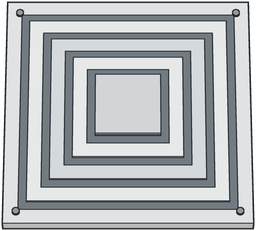
Private Box Wall costs $220.00. It sits in a Box Mail Pickup zone. Click the placed wall to open the renter screen. See Private boxes.
Each dumpster sits at the far end of its own pad. The pad is 2 tiles wide and 11 tiles long, as deep as a whole Loading Dock, and one short end has to touch a road, because that is where its truck turns in. The dumpster is only the bin and its yellow lines. The paving under it is asphalt, ordered with the dumpster for every pad tile that has no floor yet, at the parking-lot price of $9.00 a tile. The price shown while you place it is the dumpster plus that asphalt. The asphalt comes on a flatbed as its own load once a Loading Dock is connected, the city crew lays it, and the dumpster is installed after that. Until then its order reads "waiting for asphalt". On the truck and on the dock the dumpster is the bin alone. The ghost turns to face the road. Anywhere else it is refused with "Place with one short end on a road". Keep the tiles on both sides of the road end clear, or it reads "Keep the tiles beside the road end clear so the truck can turn in". Nobody walks on the pad. Staff stand beside the bin to throw things in.
A dumpster holds 200 units. Hover it to see how full it is, for example "Fill: 120/200". The bin itself shows it in four steps. A full one reads "Dumpster full" and takes nothing more until its truck empties it.
The recycling truck comes around 14:00 and the garbage truck around 15:00, once a day, and only to a bin that holds something. The truck drives onto the pad nose first, lifts the bin over its cab with its front arms, tips it in over a few seconds, sets it back down empty and backs out. Each truck empties only its own kind of bin. While it is on the pad it holds its lane, so traffic behind it waits. If the lane at the road end does not let a truck turn in, hover reads "No truck can turn in here yet" and the notice "Garbage truck cannot reach the dumpster" or "Recycling truck cannot reach the dumpster" comes up.
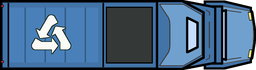
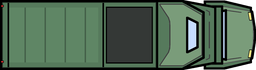
The Garbage Dumpster takes garbage bags, demolition debris and broken pallets. Place one early, so broken pallets have somewhere to go. A spent pallet or a load of debris takes 10 units. The Recycling Dumpster takes sorted undeliverable bulk, cardboard and plastic wrap. It does not take a broken pallet. The Trash Can holds what staff throw away until a janitor empties it. See Broken pallets and Trash.
A clerk tips sorted undeliverable bulk into the Recycling Dumpster by hand. See Undeliverable bulk.
The old Generator tool is retired.
Fleet lots
The Fleet Garage is on this Objects list. It is a 2 by 2 bay, cost $3,200.00, and it has to sit in a Truck Parking zone. The guidebook and Logistics say this is the only place that refuels and repairs an owned postal truck or delivery van. The service rules agree: a parked vehicle with fuel under 70 or condition under 55 qualifies, and the visit adds fuel at 28 per second (1.1 per unit) and condition at 22 per second (2.4 per unit). No staff behavior starts that visit, so a truck does not roll into the bay on its own yet. The visit does not wash the vehicle or load salt and sand.
Gas Station & Car Wash, Mechanic, and Winter Service Shed are 14 by 14 outdoor lots. Place rules allow one of each, next to a road. They are not on the Objects menu. Logistics says they can be placed from that page, and that wash, roadside repair, and winter salt are coming later. That page has buy buttons for a postal truck and a delivery van, and no button that places these lots. In progress
Checkout still refuses a vehicle with fuel under 12, condition under half of the repair line, or dirt at the cap (100). Each trip adds about 6 to 16 dirt. Nothing in the current service tick washes it off.
Containers
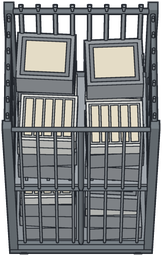
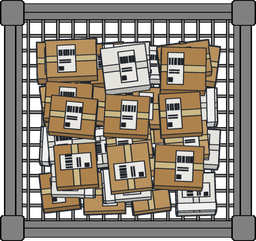
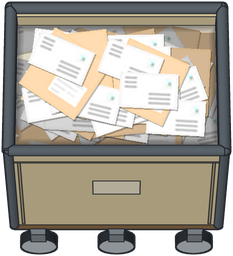
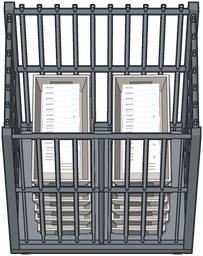
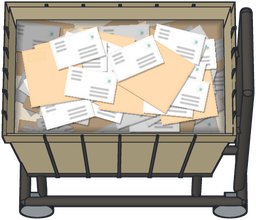
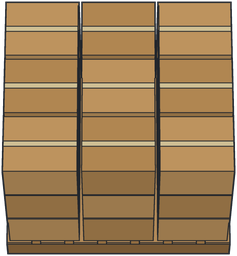
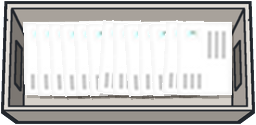
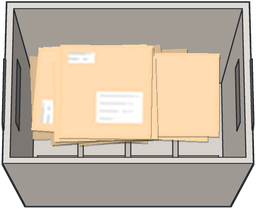
Tray cart, Roll cage, Canvas hamper, Tray rack, Shelf cart, Pallet (a wooden inbound deck of parcel boxes), Mail Tray Stack, Mail Tub Stack. How they move mail is on Containers and trucks.
Furniture
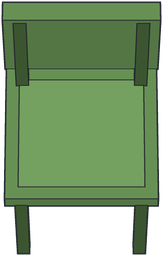
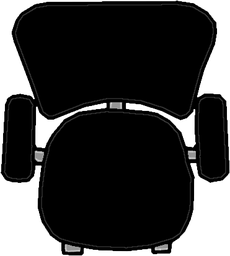
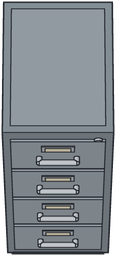
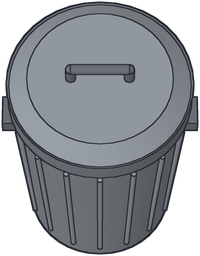
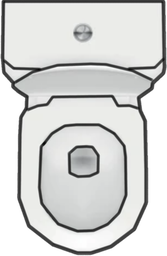
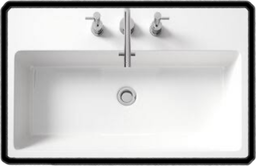
Desk, Chair, Office Chair, Filing Cabinet, Mailbox, Conveyor, Trash Can, Coffee Station, Time Clock, Ash Tray, Bench, Flower Bed, Shrub, Toilet, Sink.
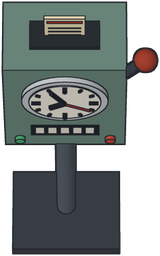
A Time Clock is where staff punch in. Build one early, since staff who have to punch in cannot start a shift without it. The tile tip reads "Time Clock: Staff punch in here before work and punch out before going home. No productive work until they punch in." Until one is built, and someone who has to punch is on the roster, a chip reads "Need a Time Clock" and "Staff can't start shifts until one is built." Click that chip to open Objects and scroll to Time Clock. The tool arms only after a town road is connected. Without one, the notice is "Roads" and "Build a road from the edge first." Ordering the clock does not clear that chip. See Time Clock.
Desk, Office Chair, Toilet, and Sink turn with the same default R. The placing ghost draws the facing arrow and the tile staff stand on. See Ghosts.
A Conveyor carries mail containers the way it points, so R sets the way the belt runs. It is locked until the Distribution Center stage. Its tip reads "Carries mail containers the way it points. Press R to turn it." See Conveyors.
Roads
Roads come first, since they connect your facility to a town. Remove Road is pinned at the top. Road paints a road. Paint it to a map edge and confirm the town to connect it. See Traffic.
Utilities
The Utilities tab brings in power and water, and holds the climate units and lights. Remove Utility is pinned at the top, then power, water, hot water, sewage, climate, and lights. The climate group is Space Heater, Window AC Unit, Box Fan, HVAC Central Unit, Air Duct, and Vent. See Heating and cooling. A Fusebox, a Heavy Fusebox, circuit power cable, a Water Main, or a Water Boiler can be ordered before it is connected. The ghost turns amber while it waits. See When a crew cannot reach the work. Detail is on the Utilities page, including Hot water. U toggles the overlay. The Utilities tab also has an overlay button.
Tools
The Tools tab holds helpers for steering the work and for copying what you have built.
| Tool | What it does |
|---|---|
| Work Priority | P. Pick a level, then drag. Workers and material trucks claim Highest first. Ctrl+drag clears. With no tool selected, Ctrl+drag paints Highest. |
| Unit Paint | Paints a mail Unit for one district. Clerks and carriers in that paint serve that district. Shared rooms (dock, cage, break) stay unpainted. |
| Route Floor Tape | A colored logistics path. Ctrl erases it. |
| Eyedropper | I. Picks up the wall, floor, zone, road, or object under the cursor. |
| Clone | Drag a rectangle, then stamp a copy of that build content. |
Deploy
Deploy Clerks, Deploy Carriers, Deploy Janitors, Deploy Management. Left click on a zone adds one. Right click removes one. Deploy Janitors also takes a Janitor Closet.