Containers and trucks
Every piece of mail on your floor sits in something: a tub, a tray, a hamper, a cage or a pallet. Nothing moves on its own. A worker carries or pushes every container, and trucks bring them in and take them away. This page covers what each container is for, how your clerks work them, and what happens at the dock in the evening.
Container forms
Each container has one job. Letters live in tubs and trays, parcels in cages, hampers and on pallets, and the canvas hamper is the bulk unit for both. Use the table to check which is which.
| Form | What it is for |
|---|---|
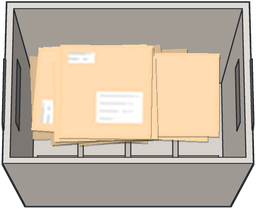 | Sorted flats, and loose letters. A tub holds 10 pieces. Flats never go in a Mail Tray, so a Sorting Station keeps a tub beside its tray. Place a Mail Tub stack so clerks have an empty one to take. |
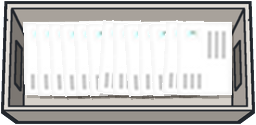 | A sorted letter tray. It holds letters only, never flats. Trays go into tray racks, never into roll cages. Sorted trays can also wait on tray carts and shelf carts. A tray never rides a truck by itself. |
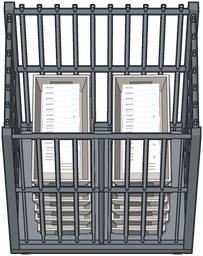 | Holds 12 Mail Trays or 8 Mail Tubs, one kind to a rack. Clerks unload it where it stands. You do not have to move it anywhere first. |
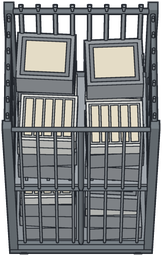 | Holds letter trays or tubs while they wait. An outgoing Mail Tray or Mail Tub goes on the truck inside one. The catalog name is Tray cart. |
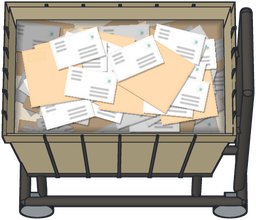 | A narrow cart for tight aisles. |
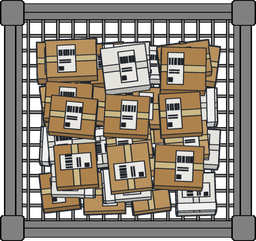 | A wheeled mesh cage for tubs and parcels. Carriers will not push a cage, a tray rack or any rolling cart, so a clerk has to move these. |
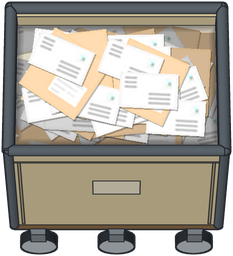 | Letters and flats, or parcels, but never both in one hamper. The first piece in decides which. Once it is empty it takes either again. A customer who brings a big car-load to the counter can borrow one. |
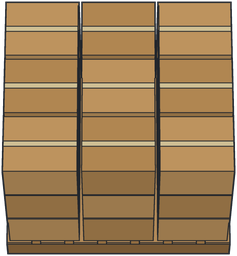 | A wooden deck of parcel boxes. The catalog name is "Parcel pallet". It arrives wrapped in plastic. A clerk unwraps it once at Package Sort, and the Package Sort clerk then takes the parcels straight off it. An empty pallet that is worn or broken is thrown out, not repaired. See Working a pallet and Broken pallets. |
| Plastic wrap | What comes off a pallet. It holds no mail. It is recycling, and a worker carries it to the Recycling Dumpster. See Working a pallet and Trash. |
 | Trash from the floor, or what a janitor took out of a Trash Can. A garbage bag goes to the Garbage Dumpster. A stack of flattened cardboard goes to the Recycling Dumpster. See Trash. |
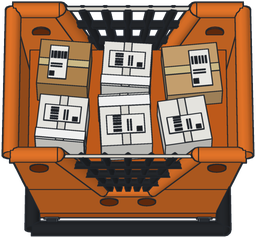 | The bin at a Carrier Case, called the "pumpkin". Carriers push full route bins. |
| Business bundle | Pre-sorted business mail for one carrier route. |
 | A single piece that still needs a scan. |
A Mail Tray holds up to 100 letters. A Mail Tub holds up to 10 flats. At a Sorting Station sorted letters are banded into the desk's tray and sorted flats into the desk's tub, and clerks carry both to the Carrier Case. With no empty tub the flats wait at the desk and you get the notice "Sorting Station needs a Mail Tub". Mail trucks bring trays but few tubs, so a Mail Tub Stack is worth placing early. Mail Tray stacks and Mail Tub stacks are where the empty ones wait, so place a few of each. A stack shows its real pile, one tray or tub for each one left. An empty stack keeps one faint outline.
The Canvas hamper, Tray cart, Shelf cart, Tray rack and Sorting Station show how full they are in five steps: empty, a quarter, half, three quarters and full. Hover any container and the card gives the same step, such as "50% full". A container that has sat on the dock too long adds "On the dock too long. Workers take it next."
Trays or tubs can share a tile. Each card then adds a line such as "Shares this tile with 2 more". The card shows the one a worker is using first, then the fullest one that still has room.
Older saves may name a Cage or a Stillage. A Cage loads as a roll cage, and a Stillage as a tray rack.
Sorting next to a case
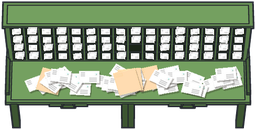
At a Sorting Station a clerk takes one letter or flat at a time out of a tray rack, canvas hamper, shelf cart or roll cage. The container is never tipped out onto the desk. Each sorted piece goes into its route's box on the desk, and the piece in the clerk's hands is the one being sorted.
A clerk only sorts onto a tile next to them: one of the eight around them, or the one they stand on. If the container, the case or the desk is farther away, the clerk walks over first and the sorting waits. Keep the container being worked right beside the desk and the case close by, and your clerks spend their time sorting instead of walking. A parcel throw at Package Sort is the one exception. It can travel farther than one tile.
At a station, most letter trays arrive already sorted by machine at the distribution facility, one route to a tray, in tray racks of their own. Their card reads "Machine sorted for Route 3. It goes to that route's Carrier Case as it is." A clerk, or that route's carrier, carries each one whole to its Carrier Case. Nobody sorts them by hand.
Only the letters the machine could not read arrive in mixed trays for your clerks. On a normal day that is about 15 in 100 of the letters a machine could have read. After the event "Trouble at the distribution facility" it is about 60 in 100 for 2 days, so expect two busy days at the desks. Flats, parcels, boxmail, Express and anything a clerk has to check always go to the clerks. A distribution center gets no machine sorted trays.
At a distribution center
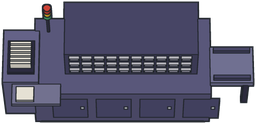
A distribution center gets its letters unsorted and sorts them itself, for its own carrier routes and for other towns. The High-Volume Sorter fills one tray for each destination. Click the sorter and its card lists "Trays being filled:" with one line per destination, such as "Route 2: 14" or a town's name and a count.
A tray leaves the sorter when it holds 100 pieces. Part-full route trays leave at 08:00, an hour before the carriers do. Part-full trays for other towns leave at 15:30, an hour before the outbound trucks start. Everything part-full also leaves after a game hour with nothing to sort.
- A route tray reads "Route 2" on the floor. A clerk carries it whole to that route's Carrier Case, the same as a machine sorted tray at a station.
- A tray for another town reads the town's name on the floor. Its card says "Sorted for" and the town, then "It leaves on the outbound truck." A clerk puts it into an empty tray rack. The rack's card counts them: "Trays for other towns: 3. They leave on the outbound truck."
- A full rack is wheeled to the dock and staged for the outbound truck. A part-full rack follows from 15:30 on. Keep an empty Tray Rack on the floor for this. Without a free rack, the clerk carries the tray to the dock and tips it into the loose outbound pile.
- Pieces the sorter cannot read leave in a tray that reads "Unread". Its card says "The sorter could not read these. A clerk sorts them at a Sorting Station." That is about 10 in 100 pieces, about 30 in 100 while the sorter needs repair, and any local piece with no carrier route. The sorter's card counts them as "Sent to the clerks today". A sorter that needs repair sends three times the work to your desks, so get it fixed quickly.
Mail for another town that a clerk sorts by hand goes to the dock the same way. On a staged rack or a loaded truck its line reads "For" and the town's name. The other towns are far away. They have no houses, no carriers and no road on your map. See Regions and towns.
Mail for a town you chose to serve on Operations: Regions comes on trucks of its own and is sorted the same way. Each of those towns gets a tray of its own, so more towns means more trays at once and more racks to wheel out. Each piece pays when it leaves on the outbound truck. See Serving more towns.
Conveyors
The Conveyor unlocks with the High-Volume Sorter, at the Distribution Center stage. It carries mail containers the way it points. Its tip reads "Carries mail containers the way it points. Press R to turn it." Press R while placing to turn it. While you lay belt, every belt already down shows an arrow. Hover a belt and its card says which way it runs, such as "Carries mail east". A tile turned another way makes a corner. Staff cannot walk across a belt, so leave a way around it.
A container rides from tile to tile, one container to a tile, and queues behind the one ahead. Where the next tile is not a belt, the belt ends and sets the container down on the floor tile past it. Trays, tubs and parcels pile up there. A wheeled rack or cart needs that tile to itself and waits on the belt until it is free. If the tile past the end is a wall or a machine, containers stop on the last belt tile.
While a belt is moving a container, its card reads "Status: On the conveyor" and no clerk picks it up. Whatever a belt has set down is ordinary floor mail for the clerks. So is a row of containers that stopped on a blocked belt.
At a distribution center, belts take two jobs off your clerks around a High-Volume Sorter.
- Feeding it. Run a belt past one of the sorter's three feed sides. A tray rack, canvas hamper or tub with unsorted letters stops on the belt tile beside the sorter and waits while the sorter empties it. Then it rides on and is set down past the end of the belt, so leave a free floor tile there for the empty rack. A clerk who would wheel a rack to the sorter sets it on the first tile of that belt instead, while that tile is clear. With several sorters along one belt, a rack rides past a busy sorter to a free one further down.
- Taking its trays away. The sorter drops trays on its fourth side. Put a belt tile there and every tray lands on the belt, rides to the end and is set down on the floor past it. From there a clerk takes each tray the usual way: a route tray to its Carrier Case, a tray for another town into a tray rack, an "Unread" tray to a Sorting Station.
A sorter that is broken, without power or closed for a holiday does not stop racks. They ride on and are set down past the end of the belt.
Bundles at the desk
A route box is banded when it holds 10 letters, when the desk is out of room, after a game hour, or when nothing is left to sort. The bundle goes into the one tray beside the desk. A desk has one tray at a time. When the tray is full, or the sorting is done, a clerk walks it around and hands each route's bundles to that route's Carrier Case. A tray with bundles for more than one route reads "Bundles" on the floor, and its card says "Banded bundles for 3 routes. A clerk hands them out at the carrier cases."
Leave a free tile next to each case. If a clerk cannot reach one, the status line reads "No free tile next to the case (carts or furniture in the way)", "Every tile next to the case is taken", or "Can't reach a tile next to the case".
When two people block each other, a clerk says "Excuse me!" at most twice. The status line reads "Excuse me" while that happens. After those two, they step through or take another path.
Working a pallet
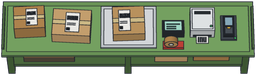
A parcel pallet comes off the truck wrapped in plastic. Staff push it to the Package Sorting Station and set it down at the desk or just beside it. Until the wrap is off, the hover card reads "Unwrap at Package Sort".
A clerk unwraps the pallet once, where it stands. The clerk stands next to it, the status line reads "Unwrapping pallet", and a work bar fills above the clerk. It takes about 6 seconds at 1x speed. Nobody can take a parcel off a wrapped pallet.
The parcels stay on the pallet and are never set on the floor. The Package Sort clerk walks to the pallet, stands next to it and takes one parcel at a time: read the label, scan it, throw it into its route bin. The pallet looks emptier as parcels come off. A parcel of 30 lbs or more is carried to its Carrier Case instead of thrown. A clerk who is not next to the pallet walks there first, and the status line reads "Walking to the pallet". A roll cage of parcels at the desk is worked the same way, with no unwrapping.
Unwrapping leaves a bundle of plastic wrap on the floor next to the pallet. It is recycling. With a janitor on duty, the clerk goes back to the parcels and a janitor carries the wrap to the Recycling Dumpster. With no janitor on duty, the clerk who unwrapped the pallet carries it there right away, and the status line reads "Taking plastic wrap to the recycling bin". That is time away from the parcels, so a janitor on duty keeps your clerk scanning. With no Recycling Dumpster the bundle stays where it is with the label "No dumpster reachable". Inspect reads "Recycling: Waiting for a janitor to take it to the recycling bin". Wrap left on the floor smells. See Trash.
When the last parcel is off, the same clerk pushes the empty pallet away from the desk. The status line reads "Taking the empty pallet to the stack". With a Storage zone it goes there, and empty pallets stack on one tile. With no Storage zone it goes to the dock. Spare empty pallets leave from the dock on a truck, like other spare empty equipment. A worn or broken empty pallet is not stacked. See Broken pallets.
Broken pallets
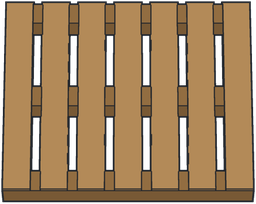

A broken pallet that still has mail on it reads "Transfer mail". Clerks unwrap it and work it where it stands. Once it is empty and worn or broken, it is spent wood. Maintenance does not rebuild a pallet.
The label is "Toss in garbage" when a Garbage Dumpster stands anywhere on the lot. A Recycling Dumpster does not take it. With no Garbage Dumpster the label is "No dumpster reachable". If nobody who can toss it is on duty, the label is "Waiting for a worker". The worker carries the pallet to the nearest Garbage Dumpster and breaks it into the bin.
A spent pallet takes 10 of the bin's 200 units. When the bin is full the label reads "Dumpster full", and the pallet waits beside it until the garbage truck empties the bin. See Dumpsters.
Prioritize on the pallet moves the toss up. The toast title is "Prioritize". With no reachable Garbage Dumpster it does not pin, and the toast reads "No dumpster reachable." Otherwise the pin stays until the pallet is on the dumpster. Idle maintenance takes it first. If none is idle, a clerk takes it, including a clerk union boss. If neither is free, the toast reads "No maintenance worker or clerk is free to toss this." and the pin stays. Idle maintenance also carries an unpinned spent pallet after installs and repairs, and an idle clerk can haul one too. Carriers, managers and the postmaster do not.
A separate notice can read "Garbage dumpster needed" and "Place a garbage dumpster with one short end of its pad on a road so crews can throw away demolition debris and broken pallets." Demolition debris goes the same way. While you possess a maintenance worker or a clerk, F picks the pallet up and F drops it on the dumpster. See Possessing staff.
Undeliverable bulk

Advertising mail and contract flyers a carrier could not deliver come back as undeliverable bulk. The carrier brings it back in a tray or tub they took out on the route: letters in a Mail Tray, flats in a Mail Tub. They set it down in a Storage zone, or on the loading dock when there is no Storage zone, and the status line reads "Bringing in undeliverable bulk". Click that tray or tub and its card reads "Undeliverable mail a carrier brought back. A clerk sorts it here." Only what no tray or tub of theirs could take is carried loose and lies there as a small pile of mail.
A clerk walks to an empty Canvas hamper and marks it as the Undeliverable Bulk container ("Setting up an Undeliverable Bulk container"). A carrier's tray or tub is sorted where it stands and needs no such container. Clerks carry the loose piles into it, 30 pieces at a time ("Collecting undeliverable bulk"). There is one such container at a time. While it is full, the piles wait until it has been sorted. Clerks do all of this after the work waiting at their desks, so on a busy floor the bulk waits longer. Inspect on it reads "Not sorted yet: May hold regular mail".
When it is full, or when no pile is waiting and no carrier is out on a route, a clerk sorts it. A carrier's tray or tub is sorted the same way, and once it is empty it is an ordinary tray or tub again. The clerk brings a second Canvas hamper and an empty tub beside it and checks the pieces one at a time ("Sorting Undeliverable Bulk"). The bulk goes into the hamper.
Now and then a carrier drops a regular letter or flat into the wrong bin on the truck: about 1 in 1,000 of their regular pieces, more with some traits. Those go into the tub, and the tub then goes to a letter sorting desk like any other tub, so the pieces still get delivered. A regular piece the clerk misses stays in the bulk and is lost. Accuracy matters here: a more accurate clerk misses fewer and checks faster. Inspect on the sorted hamper reads "Sorted: Goes into the recycling dumpster".
When that hamper is full, or everything is sorted and no carrier is out, a clerk wheels it to the Recycling Dumpster, tips the mail in by hand, and wheels the empty hamper back where it was ("Emptying bulk into the dumpster"). A dumpster holds 200 pieces. When it is full the clerk stops, wheels the rest back in the hamper, and the notice "Recycling dumpster full" stays up until the recycling truck empties the bin around 14:00. See Dumpsters.
Nothing here is made from nothing. With no empty Canvas hamper the notice reads "Undeliverable mail needs a container". With no empty tub it reads "Empty tub needed". With no Recycling Dumpster it reads "Recycling dumpster needed". Prioritize on the Undeliverable Bulk container sorts it now, and Prioritize on the sorted hamper takes it to the dumpster now.
Dock roles
The Dock roles card on Operations: Logistics sets what each dock takes. The help line is "Each dock takes only the trucks its role allows." There is one row per dock, and the choices are In & Out, Inbound, Outbound and Express. Waste trucks do not use a dock. They go to the dumpster pads.
- In & Out: "Takes any truck."
- Inbound: "Takes inbound mail trucks. Express trucks may use it."
- Outbound: "Takes outbound mail and empty returns."
- Express: "Takes express trucks only."
Choosing any role pins that dock. The tip on the card says "In & Out takes trucks in either direction. Choosing a role pins that dock, and Balance leaves it alone. Trucks and clerks follow the role." The button "Balance inbound and outbound" is white and outlined. Order stamps and Open Finance Ledger use the solid button. Its tip is "Splits unpinned docks between Inbound and Outbound. Pinned and Express docks stay as they are."
One unpinned dock, with no pinned Inbound or Outbound beside it, stays In & Out. Two or more unpinned docks, or one unpinned dock beside a pinned Inbound or Outbound, split so the bay space is as close to half and half as the capacities allow.
A truck goes to a dock set to its own job first, then to In & Out. Express can also use an Inbound dock, but only when no dedicated dock and no In & Out dock is free. A dock set to the wrong job is a last resort, used only when nothing allowed can take the work.
Business bulk
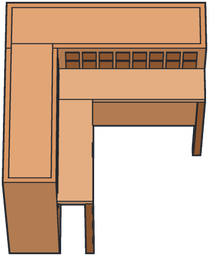
A Business Bulk Bay, a Carrier Case and at least one carrier on duty let a business customer drop off pre-sorted mail, once a clerk has been hired and a sorting station is in. It does not run on Sunday or before 07:00. One bundle is made for each carrier on duty, and each bundle holds 10 pieces for that carrier's route. Clerks haul the bundles to the Carrier Cases. This drop never carries forbidden mail, and it comes on top of the town's daily inbound truck volume. The bay is outdoors.
The Business Bulk Ledger is a different desk: flyer contracts you sign there ride inside the day's inbound trucks. See Build menu and Bulk contracts.
Dock clock
These are the hours each truck is due at the dock. With no loading dock, nothing is sent. The recycling truck (around 14:00) and the garbage truck (around 15:00) go to the dumpster pads, not a dock. See Dumpsters.
| Time | Truck |
|---|---|
| From 16:30 | Outbound mail. Trucks keep coming while mail sits on the dock. One truck takes up to 8 units. If more is waiting, another truck is sent at once, up to 3 at a time. |
From 16:30 an outbound truck is called when the outgoing bin has pieces, even if nothing is staged on the dock yet. Distribution centers do not truck that bin.
Clerks do not make a tray rack out of nothing when they haul the Outgoing Mail Bin, a street-collection tub or hub mail from a drop box. Bin mail stays in the bin until an empty tray rack is on the dock. The outbound truck called for it may drop one off, and clerks fill that. A street-collection tub, or any Mail Tray or Mail Tub of outgoing mail on the dock, goes on the truck inside a larger container. The carrier who brings it in, or a clerk, puts it into a Tray cart on that dock, or into a Tray rack when no cart has room, and the truck takes the cart or rack. Nothing else moves it. With neither on the dock it waits where it is and you get "Mail on the dock needs a container": "A Mail Tub with outgoing mail is waiting. It goes on the truck inside a Tray cart or a Tray rack, and none on the dock has room." Drop-box hub mail with no empty tray rack is carried to a sorting station instead. When this happens, the notice is titled "Outgoing mail needs a tray rack" and reads "Outgoing mail is waiting, but no empty tray rack is on the loading dock. Place a Tray Rack in the Loading Bay so clerks can stage the mail for the outbound truck. Click to focus." The same dock does not show it again for 2 minutes. Keep a spare empty Tray Rack in the Loading Bay and you will rarely see it. See Outgoing mail.
Taking a unit off a truck
While you possess a clerk, a clerk union boss, a carrier or a carrier union boss, click a unit line in a parked inbound truck's inventory to take that unit. The clerk has to be within reach. Too far, and the toast reads "Move closer to the truck to take that." You cannot take anything off outbound mail trucks, recycling trucks or garbage trucks. Clicking one of their lines shows what is inside. See Possessing staff.
What the outbound driver will and will not do
- The driver loads containers already staged on the dock. They do not come into the building or sort anything.
- The truck may drop off one empty tray rack when outbound mail is waiting, you have no empty rack to fill, and this is not a distribution center. A clerk does not make that rack.
- The truck stays while a container is staged.
- A full trailer leaves once a short minimum wait has passed: 4 simulation seconds.
- A part load leaves after a quiet gap with nothing staged. That gap is 12 simulation seconds, about two game hours, or roughly 90 seconds of real time at 1x.
- An empty trailer does not leave after the minimum wait. If the bin still holds mail, it waits up to 28 simulation seconds so clerks can fill the rack the truck dropped. Otherwise it uses the 12 second gap. A stuck errand cannot hold the bay all night.
If you miss the truck, the mail stays in the building and can fail outbound clearance at the end of the day. Missing the truck does not end the round on its own.