Staff and traits
Your staff do every job in the facility. Clerks sort and serve, carriers deliver, janitors clean and maintenance builds and repairs. This page covers what each role does, how to read the roster and a person's page, what your workers need to keep going, and the traits that make each one different.
You hire from the Staff tab once a town road is connected. Floor clerks and carriers can be union or contractor. Managers, the postmaster, janitors and maintenance are outside both unions.
Roles
Each role has its own job. Use the table to see who does what.
| Role | What they do |
|---|---|
 | Sorts, runs the counter, the Passport Station and the cage window, and can haul. A letter or flat is sorted or tossed only onto a neighboring tile, and the piece in their hands is the one being sorted. If it is farther away, they walk over first. Leave a free tile next to each case. See Containers and trucks. A licensed clerk on a day or split shift can also run an express van. |
 | Cases mail and walks or drives a street route. Carriers work the day shift only. |
 | Only one. A supervisor for the whole facility. Does not touch mail. |
   | Supervise their craft. They do not sort, case or haul mail themselves. The Facilities Manager covers janitors and maintenance. |
 | Cleans burst-pipe puddles first, then trash, then dirt and ash. A janitor with the Brave trait also fights a fire. Janitors do not repair equipment. A Janitor Closet makes them clean faster. See Trash. |
 | Installs what you painted and fully repairs worn gear. Idle maintenance also carries an empty worn or broken pallet to a Garbage Dumpster, ahead of a clerk. See Durability and repair and Broken pallets. |
Compliance Auditor, Mail Inspector, Firefighter and Bomb Squad are not hire-menu roles. You do not hire a Clerk Union Boss or a Carrier Union Boss. Those seats are elected.
While you possess a clerk, a clerk union boss, a carrier, or a carrier union boss, a click on a unit line in a parked inbound truck's inventory takes that unit off the trailer. The postmaster, a manager, a janitor and maintenance cannot. Their toast reads "Only a clerk can take mail off a truck." See Possessing staff.
A clerk hauling the Outgoing Mail Bin does not create a tray rack. The mail stays in the bin until an empty tray rack is on the dock. The notice is titled "Outgoing mail needs a tray rack". See Outgoing mail.
Pay and days off
Base daily pay in the wage table: clerk $80.00, carrier $90.00, janitor $60.00, maintenance $75.00, facilities manager $130.00, clerk manager $140.00, carrier manager $150.00, postmaster $220.00. Union floor staff are paid 1.15 times the craft base. Contractors are paid 0.7 times. The HUD shows that in your currency. Overtime hours use the overtime wage multiplier.
Sunday is always off. The postmaster also has Saturday off. Union floor staff may pick one extra unpaid day off. Split shifts are for contractors, not union clerks. Shifts, fair-wage bands and the manager hires are on Hiring and wages. Contractor share, raises and the strike grievance list are on Unions.
Call-outs and sick days
Now and then a worker does not come in. The call comes 2 game hours before their shift, as a "Called out" notice. Their Staff page then reads "Out sick, back tomorrow", "Personal day" or "Out today, worn out". Overtime cannot call them in, so cover the gap with the rest of the crew.
A sick call lasts 1 to 3 days. It is more likely after a worker got soaked or snowed on, when they are dirty or very tired, when a coworker on their shift came in sick, and in winter. A personal day is 1 day. A worker can also call out worn out for 1 day when their stress is high or their class has worked overtime 3 days in a row. They come back rested.
Set paid sick days on Operations: Policy: 0, 3, 5 or 10 a year (5 to start). Union staff always get at least 5. A paid sick day pays the day. Past the allowance, and on a personal or worn-out day, an hourly worker is not paid. The count starts over each year. The Staff page shows "Paid sick days left: 3 of 5".
A sick worker with no paid days left may come in sick instead. They work slower and can pass it on to coworkers whose hours overlap theirs. A call-out day is not graded. The Day Complete card adds "Called out: " and the count.
Sandbox can turn call-outs off under Settings: Sandbox ("Staff call out"). Training Post has none. In Campaign they start in Service with a Smile.
Age and retirement
Every hire has an age, and your staff retire somewhere between 62 and 70. You get 14 game days of notice, which leaves time to hire a replacement.
On the hire card, under the name and above home, the line reads "Age: " and that age, such as "Age: 42". Clerk, Carrier, Janitor and Maintenance are hired from 20 to 55. Postmaster, Clerk Manager, Carrier Manager and Facilities Manager are hired from 30 to 55. Most people land in the middle of that range.
The age on the card is the age on the hire day. It goes up by one on that person's birthday. A year is 365 game days. Loading a save does not change the age or the retirement age. See Hiring and wages.
A person saved before ages were stored has no age line. A called-in emergency dispatch has no age line either. That is a Compliance Auditor, a Mail Inspector, a Firefighter, or the Bomb Squad on a call.
On the staff roster, the role under the name includes the age, such as "Clerk, age 42". A clerk union boss or a carrier union boss uses that title, such as "Clerk Union Boss, age 42".
On the staff page, the same age line sits under the name, such as "Age: 42".
Retirement
After "Days off: " on the staff page, someone who can retire has a retirement line. Before the notice it reads "Retires at age: " and their age, such as "Retires at age: 66". Each person has their own retirement age from 62 to 70, fixed at hire.
The notice starts 14 game days before the birthday they reach that age. If a save or a calendar jump skips that day, the notice still gives them 14 game days. During those days the line reads "Retiring on day 400. Days left: 11", with that person's leave day and the days still left.
The toast title is "Retirement notice". The body is the name, the role title in parentheses, the leave day, and the days left. On the day of the notice that is 14 days, such as "Mara Ellison (Clerk) retires on day 400. Days left: 14." The same notice appears a second time when 2 days are left.
On the leave day they walk to the exit and then leave the roster. Someone already at home leaves the roster at once. Labor relations stays where it is. Their shift, days off, duty and assigned carrier case free up when they leave the roster. If that person's page was open, it closes.
A postmaster's bonus and drawback stop when the leave starts, while they are still walking out, and the postmaster hire is available again. The toast title is "Retired". The body is the name, the role title, and the years of service to one decimal, such as "Mara Ellison (Clerk) has retired. Years of service: 12.0."
Two holds can keep them past the leave day. A postmaster stays while a deal is in progress on Operations: Deals, and leaves once that deal is no longer in progress. Deal progress still needs them on duty. Anyone out on a street route or an express delivery stays until that trip is over. While they are held, the staff page reads "Retirement is due. Leaves as soon as the current job is done".
A Firefighter or the Bomb Squad never retires. A called-in emergency dispatch never retires. Every 7th day, the Crossroads Gazette files a retirement with the quits. The paper comes out after the Day Complete summary is closed. A toast shows its lead headline, and a click opens the front page. One quit line is "Mara Ellison quits the Clerk job." The bulletin rotates among several quit lines. See Unions and Deals and contracts.
Staff roster
The roster is where you check on everyone at once. It shows who is working, where they are, and who is unhappy or worn out.
Operations: Staff opens the roster. Satisfaction and Labor relations sit at the top, each as a percent with an arrow for the change since the day started. Up means it rose, down means it fell, and a flat mark means it held. A change under 0.5 stays flat. Satisfaction turns red below 40. Labor relations turns red below 50. Hover a meter for "Change today: " and the amount.
The heading reads "Staff roster". "Hire staff" sits beside it. Hover the button for "Open the hiring screen (Build: Staff)." It opens Build: Staff. With nobody hired, the page reads "No staff on the roster" and "Hire clerks, carriers and crew to run the facility.", and "Hire staff" sits under that. A call-in is not on the roster.
Filters
Once someone is hired, one row filters the table. The box reads "Search by name" and matches the name only. H focuses Search by name. See Keybindings.
Type starts at "All types", then Clerk, Carrier, Janitor, Maintenance, Clerk Manager, Carrier Manager, Facilities Manager, and Postmaster. Compliance Auditor, Mail Inspector, Firefighter and Bomb Squad are never on the roster, so they are not in that list. Clerk Union Boss and Carrier Union Boss are not in it either. Shift starts at "All shifts", then Early, Day, Evening, Night, and Split. If nobody is left, the page reads "No staff match these filters."
Rows and sorting
A row shows the portrait, the name, and under the name the role and age, such as "Clerk, age 42", then the shift, the status with the location under it, then Morale and Fatigue as bars, and a locate mark. The Morale bar turns red at 50 or lower, and the Fatigue bar at 50 or higher.
The headers are Name, Role, Shift, Status, Location, Morale, and Fatigue. Hover one for "Click to sort. Click again to reverse." The first click sorts Name, Role, Status, and Location from A to Z, Shift as Early, Day, Split, Evening, then Night, Morale with the lowest first, and Fatigue with the highest first. Click that header again to reverse it. Sort by Morale or Fatigue and the people who need attention come to the top.
Before you click a header, the order is the role, then the name. If you are inspecting a zone, people for that zone come first.
Location reads "En route", "Off site", "On a delivery route", "No zone", or the zone they are standing in. Status uses the same words as the person page, except the two Time Clock lines below, which are shorter in the row.
When the shift window is open and they are not on duty because of the Time Clock, Status uses the short line and Location is left blank. No clock built: "Off shift: no clock". A clock is built and they still have to punch in: "Off shift: needs punch". Hover the row for the full line, "Off shift: no Time Clock built" or "Off shift: needs Time Clock punch", and for the location. A scheduled day off stays "Scheduled day off". Outside the shift window, and for any other off-duty cause, Status stays "Off shift". See Time Clock.
A red dot on the portrait means "Grievance open", or schedule anger of 15 or more, which reads "Angry about schedule (31/40)", for example. The first number is the anger now. The second is the line where a grievance is filed. Hover the row for that line and for the two meters, such as "Morale 72% · Fatigue 30%".
Click a row for that person's page. Double-click the row, or click the locate mark, to find them in the facility. The mark reads "Locate on the map" on hover. Under the table the line gives those two counts and how to open or find someone, such as "12 on the roster, 8 on shift. Click a row for the HR sheet; double-click to locate." Those two counts include people the filters are hiding.
Time Clock
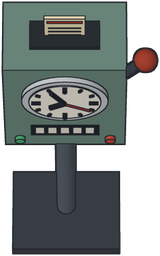
Nobody starts a shift without punching in, so place a Time Clock early. Staff punch in at a Time Clock before a shift, and punch out before they go home.
Until one is built, and someone who has to punch is on the roster, a chip under the Settings and Guide buttons reads "Need a Time Clock" and "Staff can't start shifts until one is built." It stays up until a Time Clock is placed. A Time Clock that is only on order does not count. Hover does not change the chip's color. The cursor becomes a pointing hand, and the tip reads "Need a Time Clock: Staff can't start shifts until one is built. Click to place a Time Clock."
Click the chip to open Objects and scroll to Time Clock. If a town road is already connected, that click arms the Time Clock tool and replaces any tool that was armed. If no town road is connected, Objects still opens and the list still scrolls, but the tool stays unarmed. The notice is titled "Roads" and reads "Build a road from the edge first."
A notice with the same title still appears while someone is waiting to punch in or punch out and no Time Clock is placed. Its line is "Place a Time Clock so staff can punch in. No productive work until they do." It can come back about every 45 seconds. The chip stays up the whole time.
Maintenance can start the shift without a punch while a Time Clock is on order, so they can install it. The chip stays up until that clock is built. Firefighter and Bomb Squad do not punch. A called-in emergency dispatch does not raise the chip.
Staff page
Each person has a page of their own. It shows what they are doing, how they feel, what they earn, and the hours they work, and it is where you change their schedule.
Click a row on the Staff roster to open that person. The page scrolls. "Back to roster" returns to the list. "Locate" finds them in the facility. The header, skill bars and trait chips match Hire Staff.
Header and status
The portrait sits beside the name. That line also shows the role and a chip: "Union", "Contractor", or "Salaried". Under the name, the age line reads "Age: " and the number, such as "Age: 42", when this person has an age. Then "Home: " and the town, then a live "Status: " line. Hover the portrait for home and commute. A call-in with no home omits Home and Commute.
While they are on duty and overtime is on, Status reads "Overtime". A scheduled day off reads "Scheduled day off". When the shift window is open and the Time Clock is why they are off duty, Status reads "Off shift: no Time Clock built" or "Off shift: needs Time Clock punch". Off duty otherwise reads "Off shift". The rest of the time it is what they are doing now.
Skill bars sit under the header. Floor staff read "Reading" and "Athleticism", each as a percent. The postmaster and managers read "Leadership" and "Organization" instead. When the person is the postmaster you picked, the page also lists "Bonus" and "Drawback", then "Applies while this postmaster is on staff."
Trait chips show the name only. Hover a chip for the description. "Smoker", "Coffee drinker", and "Likes overtime" are chips when that person has them. The rolled traits are chips too.
Meters
Live meters, two to a row: "Performance", "Morale", "Fatigue", "Hunger", "Stress", and "Bladder". A smoker also has "Nicotine". These are the same needs as the inspect card on the floor.
Performance shows the letter and the score, such as C (70) for a score of 70. Hover it for "Day-end grade from efficiency, accuracy, morale and throughput. Union staff graded C or higher are protected. Firing them hurts labor relations." A scheduled day off with no work does not change the grade. The Performance bar turns red at D, E, or F, which is a score under 65.
Morale turns red at 50 or lower. Fatigue and Hunger turn red at 50 or higher, the same line as a soft seek. "Darkness" and "Dirtiness" stay hidden until that meter is 15 or higher.
A note under the meters stays up while you remain on this person. Schedule anger at 8 or more reads "Schedule anger 31/40.", for example, with the anger now and the grievance line. When there is a reason, the reason follows on that line. One of those reasons is "The new hours are unwelcome." A filed grievance reads "Grievance filed. Shift, days off, and duty stay locked until day " and the day number. With a reason, that reason follows on the same line. A failed mid-year raise stays in this note until you leave the person. It reads "Not enough cash for a mid-year raise."
Wage, days off and duty
The rows under that read "Wage: " and the daily pay, then "Days off: ". Days off reads "Off Sun", "Off Sat+Sun", or "Off Sun+" and the extra weekday (Mon, Tue, Wed, Thu, or Fri). A Saturday extra day reads "Off Sat+Sun". Someone who can retire then has the retirement line from Age and retirement.
"Duty: " is only for a floor clerk or a clerk union boss. It reads "Any", "Sort", "Dock", "Counter", "Express", or "Cage". "Commute: " is how they get to work. It is omitted with Home when there is no home.
A clerk or carrier who is carrying mail also lists "Collected (inbound)" and "To deliver (route)". Each line under those headings is the mail type, a colon, and the count.
Individual schedule
"Individual schedule" is the next heading. Hover it for "Sets this person's daily hours. Facility floor stays open 24/7; lobby hours are set in Operations: Policy." and "Traits can resent a new shift, day off, or duty. Enough anger files a grievance that resets all three to the last accepted terms." Watch the schedule anger note above before you change the same person twice.
"Shift window" offers Early, Day, Evening, Night, or Split, for the shifts that role can use. Under it, "Hours: " gives the start and end times and the hours per day, for example "Hours: 08:00-17:00 (9h/day)". A split shift lists both ranges, for example "Hours: 04:00-12:00 / 16:00-20:00 (12h/day)". For a carrier, hover the "Shift window" heading for "Carriers work Day (08:00-17:00). They never take Early. Overtime until 20:00, 21:00, or 22:00 when street volume is high." Hire Staff shows the same tip on its heading.
"Days off" is a row of M, T, W, T, F, Sa, and Su. Sunday stays selected and reads "Sunday is always a day off." Saturday you can pick reads "Pick as your extra unpaid day off." Saturday you cannot pick reads "Saturday is a working day - it cannot be taken off." A weekday a contractor cannot pick reads "Contractors only get Sunday off." Hover "Days off" for the rule that fits the job:
- A union clerk, a union carrier, maintenance, a janitor, or the Facilities Manager: "Sunday is always off. Pick one extra unpaid day off (Mon-Sat)."
- A clerk union boss or a carrier union boss: "Sunday is always off; Saturdays are worked. Union staff may pick one extra unpaid weekday (Mon-Fri)."
- A clerk manager or a carrier manager: "Sunday is always off; Saturdays are worked. Salaried staff may pick one extra weekday (Mon-Fri)."
- A contractor: "Sunday is always off; Saturdays are worked. Contractors cannot take an extra weekday."
- The postmaster: "Saturday and Sunday are always off. Postmaster cannot take an extra weekday." The seven day buttons still show. All of them are locked, with Saturday and Sunday selected. Saturday reads "Saturday is always a day off."
"Duty preference" is only for a floor clerk or a clerk union boss. The buttons are "Any", "Sort", "Dock", "Counter", "Express", and "Cage". Hover the heading for "Soft bias for clerks: Sort floor, dock assist, counter, cage window (cage-qualified), or express van runs (needs Driver's license)." With Express selected and no driver's license, the page reads "Needs a driver's license for express runs."
Mid-year raise
"Mid-year raise" sits under the schedule. It is hidden when daily pay is 0, and for a Firefighter or the Bomb Squad. The raise is 3 percent of fair daily wage, at least 1, and it stops at the top of the wage band. The cash cost is 5 times that daily amount. The button reads "Grant raise" and that cash cost.
A union grant reads "Grant +" the daily amount, then "/day now. Costs " the cash amount, then " cash. Boosts employee satisfaction and slightly boosts labor relations." Anyone else ends with "Boosts employee satisfaction (not labor relations)." Already raised this civil year, or already at the top of the band, the line reads "Already raised this civil year, or wage is at the band ceiling." and the button reads "Raise unavailable".
A grant that goes through shows a notice titled "Mid-Year Raise". The body is the name, then " now earns ", the new daily pay, "/day (+", the raise, "). Spent ", and the cash spent. See Wages and the contract.
Above the worker
When something goes wrong, the worker shows it above their head, so you can spot the problem on the floor without opening a window.
A curse bubble is a short string of symbols, five to seven of @ # $ % & ! * ?, in a speech bubble above the worker. It sits clear of the work icon, the mood icons and a status callout, and it only moves up to keep that gap. The gap and the bubble stay clear at every zoom. A missort by a clerk shows this bubble first.
A mess-up also puts one red word, with a black outline, beside the worker. In English the words are MISSORT, BROKEN, and DROPPED. Other languages use their own word. When the curse bubble is up, the word sits beside it. Otherwise it sits above the head, still clear of those icons. One event shows one word.
- MISSORT is a clerk sorting a letter or flat to the wrong route. Prepared contract flyers and sequenced carrier-case mail do not roll that miss. It is also the word when you are possessing a worker and toss a parcel into a route bin for a different route, and both the parcel and the bin have a route number. That toss also posts a notice titled "Missort" that reads "Wrong route bin. Missorts today: " and the count. The toss does not show the curse bubble.
- BROKEN replaces MISSORT when a fragile piece that is not already damaged breaks from the rough handling. That happens on 40 percent of those missorts. The clerk still gets the curse bubble. The possessed toss shows BROKEN and no curse bubble.
- DROPPED is a stamp restock that puts sheets on the floor. A stack carried from the dock drops the sheets the Stamp Safe cannot take. The same trip drops the whole carry if the safe is gone or the sheets cannot be stored. Sheets carried to a Service Counter or an Auto Postage Machine drop if that destination is gone when the clerk arrives. Leftover sheets that go back into the safe do not show DROPPED. See Stamps.
The same worker waits 5 seconds between words, and a word that is still up blocks the next one. Only 3 words can be on screen at once. A word stays 1.6 seconds and fades across the last 0.3 seconds. It is skipped when the camera zoom is below 0.35, and when that worker is hidden or outside the view. The curse bubble uses the same view check. It does not use the 0.35 cutoff.
Late for work
A worker who starts more than 10 game minutes after their shift window opens gets a red LATE pop over their head for 3 seconds. Their Staff page then shows a red line under Commute, such as "Late today: 45 min. No bus from their town". The reason is what actually held them up: no road or bus from their town, a full employee lot, a stuck car, a blocked walk, a long commute, or a slow punch-in at the time clock. That reason tells you what to fix. A worker sent in after the window opened, such as a new hire, is never marked late.
Needs

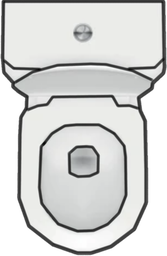
Your staff get tired, hungry and stressed. Ignored needs slow them down, so give them somewhere to recover.
The meters are bladder, hunger, fatigue (there is no separate energy bar), stress, morale, darkness and dirtiness. Smokers also have nicotine. Needs can be turned off in sandbox settings.
Ignored needs slow work, down to 0.15 past a collapse at 90. A forced unmet need that is not yet on break caps speed at 0.70. The seek lines are 50 (a little sooner) and 70 (urgent).
Hunger, fatigue and stress recover in the break room, so build one. Smoking never uses the break room.
Break rule
The Breaks card on Operations: Policy chooses when 50 applies. The control is "Break rule". The choices are "Set break times", "Only when needed", and "Anytime". The tip is "Sets when staff go on break. An urgent need always sends them."
- Set break times reads "Staff break a little sooner at 10:00 and 14:00." It uses 50 only inside the 10:00 and 14:00 windows, and 70 outside them.
- Only when needed reads "Staff break only when a need is urgent." It always waits for 70.
- Anytime reads "Staff break a little sooner all day." It always uses 50.
"Break window length" sets how long those windows stay open. The choices are 15, 30, 45, 60, and 75 minutes. The default is 30 minutes. The tip is "How long the 10:00 and 14:00 break times stay open, under Set break times. It does not set how long a break lasts."
An urgent need at 70 still pulls someone off the job, under every rule. A signed contract can hold Only when needed to the 10:00 and 14:00 windows, and it can keep the window at least 45 minutes. See Wages and the contract.
Toilets need privacy: alone in a wall-and-door stall. A 1 by 1 stall with a door is enough. A glass door or a window is a separate block. See Restroom privacy.
Restroom privacy
Staff will only use a toilet in private. One glass door or window in the walls makes the whole Restroom unusable.
A Restroom Zone has to be painted inside a closed room with walls and a roof. Outdoor tiles refuse the brush. The tip reads "A Restroom has to be inside a closed room with walls and a roof." An outdoor Restroom left from an older save stays, and its label reads INCOMPLETE with "Needs: A closed room (walls and roof)". See Placement guides.
Staff refuse to use a toilet in a Restroom that has a glass door (Sliding glass) or any window in its walls. Stall walls inside the room count too. The room label then reads RESTROOM UNUSABLE, No privacy: glass door / window, and the inspector lists Privacy (no glass door or window) under Needs. Staff walk to another usable restroom in the facility. If there is none, the bladder need goes unmet. Fix it with solid doors and no windows. Placing a glass door or window on a restroom wall shows a warning first. Nothing is removed automatically.
Standard swing, Staff-only, and Secure cage doors are fine. A window two tiles out, or only on a diagonal, does not count. The warning is a yellow "Breaks restroom privacy" note in the placement ghost when the window or glass door is on or next to the restroom, and placement is still allowed. The inspector lists "Privacy (no glass door or window)" first under Needs.
Janitor Closet
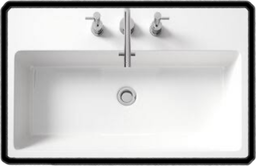
A Janitor Closet is a room where janitors fill a mop bucket, and a filled bucket makes them clean faster. Paint Janitor Closet Zone from Zones on a floor, not on grass, then place a Sink in it. Until the Sink is there, the room label reads INCOMPLETE with "Needs: Sink".
- A janitor with dirt, ash, or a puddle to clean walks to the nearest closet Sink first and fills the bucket. Their status reads "Filling the mop bucket".
- A filled bucket cleans 50% faster.
- One fill lasts about a minute of scrubbing at normal speed. Then the janitor goes back to the Sink for more.
- Every refill is a walk, so put the closet close to the floors that get dirty.
- The Sink has to be built. A planned Sink clears the label, and the janitor waits for the real one.
- The closet Sink fills the bucket with or without water pipes.
- A Sink in a Restroom does not count.
- For a brave janitor fires still come first, fought without the bucket. Every other janitor runs clear of a fire like the rest of the staff.
- A facility with no Janitor Closet cleans at the usual pace.
Deploy Janitors can send janitors to wait at the closet. See Deploy.
Trash


Work makes trash, and trash left out smells. It costs your customers satisfaction and your staff morale, so give it somewhere to go. Each piece of trash is a few units.
- A coffee break ends with a cup to throw away.
- When a clerk tapes a broken parcel, the torn packing comes off as trash.
- A clerk who restocks a Supply Shelf sets the flattened cardboard down by the shelf. Cardboard is recycling.
- Unwrapping a parcel pallet leaves plastic wrap. Wrap is recycling. See Working a pallet.
A cup or torn packing goes into a Trash Can within two tiles. A Trash Can holds 10. Its card reads "Trash: 3/10". With no can that close, or only a full one, the trash is dropped on the floor as a garbage bag, and more litter at that spot piles into the same bag. Place Trash Cans close to where your staff take coffee and tape parcels, so cups and packing go into a can instead of onto the floor. Cardboard and wrap never go in a Trash Can.
Janitors own the trash. In order: puddles, then trash, then dirt. A janitor picks up bags, cardboard and wrap from the floor and empties a Trash Can once it holds 6. At the can they tie up the bag (a work bar fills), lift it out and carry it. Garbage goes to the Garbage Dumpster and recycling to the Recycling Dumpster. The status line reads "Emptying a trash can", "Picking up trash", "Taking trash to the dumpster" or "Taking recycling to the bin". Only one janitor goes to each can.
With no janitor on duty, maintenance or a clerk takes floor trash instead. While a janitor is on duty, a possessed clerk or maintenance worker who tries reads "A janitor is on duty and takes the trash."
Trash left out means a full Trash Can, or any bag, cardboard or wrap on the floor. Anyone who walks past it within about a tile and a half smells it once per pass. A customer loses some satisfaction, and that comes off the lobby satisfaction. A staff member other than a janitor loses some morale. Trash on a dumpster, or in someone's hands, does not smell.
A dumpster holds 200 units. A full one reads "Dumpster full" and takes nothing more until its truck empties it: the recycling truck around 14:00, the garbage truck around 15:00. See Dumpsters.
Hauling is a waste contract, charged once a month at the end of the month's last day while any dumpster stands. It is $240.00 a month. The books show it as "Waste hauling contract (monthly)". Hover a dumpster to see "Trash waiting: 4 in cans, 2 on the floor", what was taken out today (and how much of it was recycling), what was taken out this month, and the contract price.
Traits
Traits make each hire a little different. The resume shows them before you hire.
New hires roll 1 to 4 traits. Each extra slot has a 0.55 chance to fill. Some traits are union-only, clerk-only, or carrier-only. Salaried staff do not roll mail-handling traits.
Driver's license is a separate roll. About 7 in 10 new candidates have it, the same chance for every job except the postmaster you picked, and it does not take one of those slots. The hire card lists it as "Driver's license". The picked postmaster does not roll traits or that license. Every one of them has "Driver's license" except Desmond Okafor. Smoker and coffee are fixed too, and they never have "Likes overtime". See Hiring and wages and Story and Sandbox.
The full set in the trait list: Speedy, Sloppy, Night Owl, Union Firebrand, Soft Hands, Meticulous, Chatty, Loner, Early Bird, Caffeine Fiend, Pack Mule, Fragile, Cheerful, Grumpy, Neat Freak, Lazy, Workaholic, Sticky Fingers (rumor), Route Rat, Desk Jockey, Driver's license, Clumsy, Handy, Brave, Keen Eye. The lines below are the ones this page is here to explain. Brave: stays near a fire and grabs a Fire Extinguisher instead of running clear; see Fire. Keen Eye: clerks and carriers only. On a clerk it reads "Spots 45% of illegal mail handed in at the counter, instead of 10%." On a carrier it reads "Spots 45% of illegal mail in street collection, instead of 10%." See Security. Aside from Driver's license, the others apply the stat weights stored with that trait (speed, accuracy, night shift, and so on) and are not listed number by number.
Commuting is on Buses and commuting.
Clumsy
Breaks fixtures and machines faster when using them. Wear from each use is multiplied by 2.75. That covers stations, props, coffee and doors.
Handy
When idle or on break, patches nearby broken fixtures just enough to work. Slower than Maintenance.
- Any role except Maintenance can patch. Maintenance staff do the full repair job instead.
- Patch speed is 8 per second, and it stops at durability 31 (one point above the broken line). The object works again. It is not restored to 100.
- Idle patch looks within 320 pixels and repairs within 96. The person must be on duty, idle, not pathing, not player-controlled, not due at the time clock, and not in an urgent toilet emergency.
- On a rest or coffee break the search is 160 pixels. Smoke breaks and other break kinds do not patch.
Carriers on the street
Your carriers take the mail out to real addresses in town, and you can watch each trip as it happens.
Every piece for street delivery has a real house or business address on a named street, such as "214 Maple Street". Each route owns its own streets. A carrier keeps their route number when you hire or lose other carriers. A new hire takes the first free number.
Click a Carrier Case to open that route in a small window. While the carrier is out, it plays the trip: the truck, each stop, letters to the mailbox and parcels to the door. A ring marks mail still due, and a red cross marks mail that was not delivered. Each street is worked from the truck, parked and walked, or on foot, whichever suits how the street is laid out.
Three hours before 17:00, a carrier who will not finish calls in. Click the "Carrier calling" notice to answer. Approve overtime lets them finish. Send help sends a free carrier with the stops they would miss. Bring it back has them head in at 17:00, and the rest goes out tomorrow. No answer by 16:30 means overtime.
A carrier on foot counts as out on the route once they step onto the nearest sidewalk, and comes back in at the sidewalk nearest to them. They do not walk to the map edge. With no sidewalk anywhere, the nearest road end at the map edge is used. Carriers are back by 22:00 at the latest. At 22:00 a carrier still on the street is brought back to the facility and the trip is booked that day. One still walking out puts the mail back.
Smokers

Some of your hires smoke. A smoker only gets their nicotine back in a Smoke Area, never in the break room, so if you hire smokers, give them a Smoke Area with an ash tray.
Smoker is not a trait id. It is a separate hire flag, with a 0.35 chance. The in-game label is Smoker: they need a smoke break when nicotine runs low.
Nicotine is a comfort meter from 0 to 100 (100 is satisfied). Urge is 100 minus nicotine, on the same 50 and 70 lines as the other needs, under that break rule. It falls by 0.7 per second while working and 0.3 while idle, and it only rises in a Smoke Area.
Smokers reserve one side of an ash tray (north, east, south, or west) or queue beside the zone. They do not fall back to the break room. A smoke break is held for 2.8 seconds and nicotine climbs by 14.5 per second during it, plus the zone's own ash-tray gain while they stand on the reserved slot.
Coffee drinking and liking overtime are the same kind of soft habit, not trait ids.
Unions and the five-member rule
Your union clerks and carriers elect a boss of their own. A seated boss lifts morale and labor relations, and can also file grievances.
There are two bargaining units: the clerk union and the carrier union. Janitors, maintenance and managers are outside both. The player is management (the postmaster). Hire never grants a boss seat.
Each craft elects one boss once it has at least 5 eligible members and nobody is already seated. Five is enough. The crafts do not share a count.
An eligible member is a union clerk or union carrier of that craft (not a contractor), not an emergency unit. Off duty still counts toward the five. Voters walk to a spaced ring in a break room, not a pile on one tile. The election break is 2.5 seconds with the attendable members in the room. The winner is the highest performance score, then the earlier hire day, then the name.
The boss keeps the clerk or carrier job and gains the title Clerk Union Boss or Carrier Union Boss. They still handle mail. They also give their craft a facility-wide morale bonus of 0.2. While relations are under 100 and a boss is seated, relations rise by 0.35 per second, or 1.4 times that if both crafts have a boss.
If membership later drops under 5, the boss stays. The seat ends when that person leaves the roster.
There are no union dues in the game.
Relations, work-to-rule, and strike
Relations under 50 is work-to-rule: union floor staff work at 0.55 speed. Relations under 25 is a strike: the same people keep working, at 0.40 speed. They do not walk out. Managers, the postmaster, janitors and contractors are not slowed by the strike. The notice when work-to-rule starts is on Unions.
Grievances
A seated boss (either craft) can file a facility grievance about break coverage. Refusing it hits relations. A person's own schedule grievance is separate: an angry reaction to an HR edit of shift, days off, or duty preference reverts the terms and locks them for 2 days, and it does not need a steward.
Customer walkouts (someone leaving the lobby unhappy) are a different counter. Staff do not have a walkout action.